What is a Wireless Bluetooth Headset and How Does it Work?
In today's fast-paced world, a Wireless Bluetooth Headset offers convenience and freedom. These devices are popular among tech enthusiasts and casual users alike. They eliminate messy wires while providing excellent sound quality.
A Wireless Bluetooth Headset connects to devices through Bluetooth technology. This allows users to enjoy music or take calls hands-free. Imagine walking, jogging, or commuting without the hassle of cords. However, the experience can sometimes be flawed. Connectivity issues may arise, leading to frustrating interruptions. Battery life can also be a concern, as some models may not last long enough for your needs.
Despite these drawbacks, the appeal of a Wireless Bluetooth Headset remains strong. The comfort of wireless listening is difficult to resist. Many users find it enhances their daily routines. As technology continues to advance, these headsets improve in design and functionality. Invest time in choosing the right model for your lifestyle. It could transform how you enjoy audio.
What is a Wireless Bluetooth Headset?
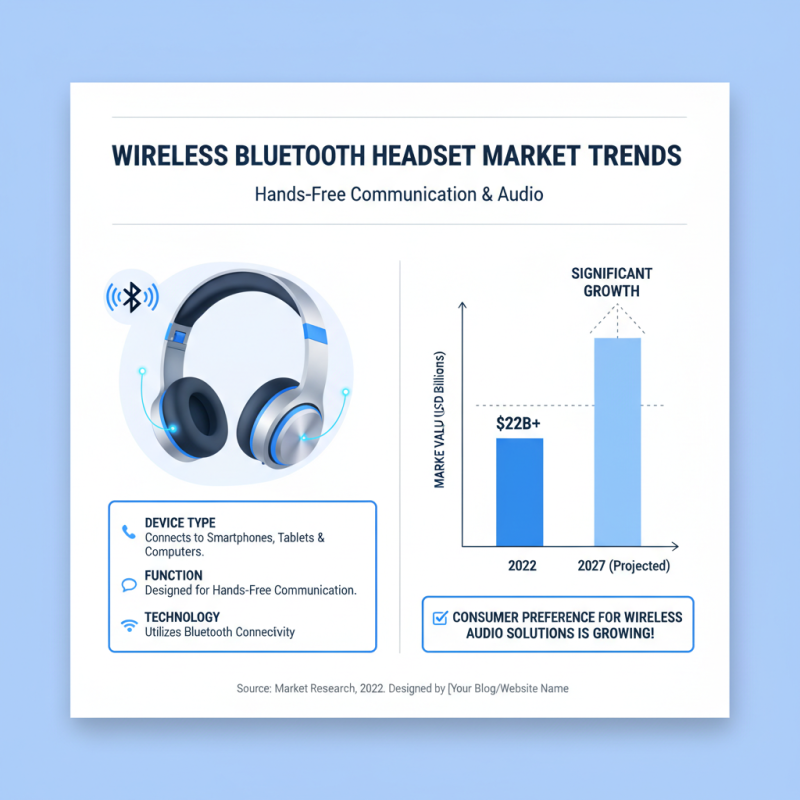
A wireless Bluetooth headset is a device designed for hands-free communication. It connects to smartphones, tablets, and some computers using Bluetooth technology. According to market research, the global Bluetooth headset market was valued at over $22 billion in 2022 and is expected to grow significantly by 2027. This shows a clear consumer preference for wireless audio solutions.
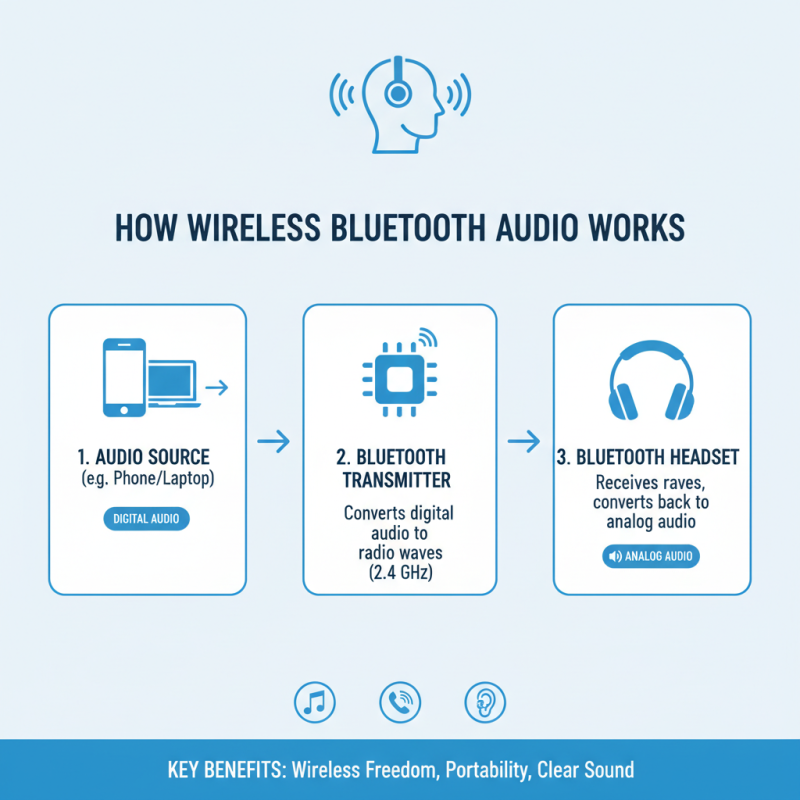
These headsets work by utilizing radio frequencies, specifically in the 2.4 GHz range. When paired with a device, they convert audio signals into wireless signals. Users can listen to music or talk on the phone without being tethered by wires. However, some users report connectivity issues or audio latency. According to a recent survey, around 25% of Bluetooth headset users experience these problems occasionally.
Comfort and battery life are crucial factors in headset performance. Many models can last from 5 to over 30 hours on a single charge. Yet, some headsets might be bulky or uncomfortable for extended wear. Portion reports show that up to 15% of users dislike their headset's fit. These complaints highlight the need for ongoing innovation in design and functionality to improve user experience.
Key Components of a Bluetooth Headset
A Bluetooth headset is a remarkable device enabling hands-free communication. Understanding its key components helps appreciate its functionality. The primary component is the Bluetooth chip. This chip manages connections with devices, ensuring seamless communication. It uses low energy to maintain battery life, which is crucial for long hours of use.
Another essential part is the microphone. It captures your voice during calls or recordings. The quality of microphones varies. Some can pick up background noise, which can be distracting. On the other hand, speakers are vital for audio output. Good speakers enhance sound clarity. However, many users overlook their quality, leading to a less enjoyable listening experience.
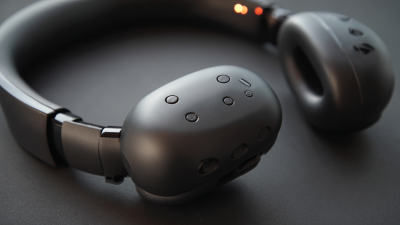
The headset also includes a battery. Rechargeable batteries are common. Yet, their lifespan can diminish over time. This can lead to frustrating charging cycles. Additionally, controls on the headset allow users to manage calls and music. These buttons may be difficult to use for some. This can hinder the overall experience. Understanding these components reveals both the strengths and limitations of Bluetooth headsets.
Understanding Bluetooth Technology and Pairing Process
Bluetooth technology is a wireless communication method that allows devices to exchange data over short distances. This technology is crucial for wireless Bluetooth headsets. It uses radio waves to connect devices, usually within a range of about 30 feet. The process starts with two devices needing to recognize each other. This is called pairing.
To pair your Bluetooth headset with a device, ensure both are turned on. Activate the Bluetooth feature on your device. The headphones should be in pairing mode, often indicated by blinking lights. When the device recognizes the headset, it may ask for confirmation. Tap yes, and they should connect.
**Tips:** Keep your devices close during pairing. This often speeds up the connection. If your headset fails to connect, try restarting both devices. A quick reset can solve many pairing issues.
Another consideration is battery life. Always check your headset’s battery before important calls or meetings. Headsets with low battery might not function well. It's a common mistake to overlook this detail. Regularly charging your devices can eliminate hassles and enhance performance.
What is a Wireless Bluetooth Headset and How Does it Work?
| Feature |
Description |
| Bluetooth Version |
Bluetooth 5.0 |
| Range |
Up to 33 feet (10 meters) |
| Battery Life |
6-10 hours of continuous use |
| Charging Method |
USB-C charging port |
| Audio Quality |
Stereo sound with noise cancellation |
| Compatible Devices |
Smartphones, tablets, laptops |
| Pairing Process |
Turn on headset, activate Bluetooth on device, select headset from available devices. |
How Wireless Bluetooth Headsets Transfer Audio Signals
Wireless Bluetooth headsets have gained popularity for their convenience. They enable users to listen to audio without being tied down by wires. Understanding how they transfer audio signals can clarify their appeal.
Bluetooth technology uses short-range radio waves to transmit audio. This process begins when sound is converted into a digital signal. The headset acts as a receiver. It processes this digital signal and converts it back to sound. This happens within a short time frame. However, the quality of the audio can sometimes vary. Factors like distance and obstacles can interfere with the signal.
Moreover, the pairing process adds complexity. Users must connect the headset to their device via Bluetooth. Sometimes, devices may not synchronize properly. In these instances, users might find themselves frustrated, repeatedly trying to connect. Overall, while the technology offers great advantages, there are points of inconvenience that can arise during use.
Benefits and Limitations of Using Wireless Bluetooth Headsets
Wireless Bluetooth headsets offer convenience and freedom. Users can enjoy hands-free calls and music, making them popular for on-the-go lifestyles. They connect easily to smartphones, tablets, or computers. However, they come with both benefits and limitations.
One significant benefit is mobility. Users can move freely, whether at home or while exercising. No tangled wires to deal with makes life simpler. Many headsets also provide decent sound quality. Yet, there are flaws. Sometimes, the connection drops unexpectedly. Battery life can also be a concern. If not charged, users may find themselves without music or calls.
Another limitation is the learning curve. Not everyone finds Bluetooth straightforward. Older individuals might struggle with pairing devices. Also, some headsets do not sit comfortably for long periods. This can lead to ear fatigue. While Bluetooth technology is impressive, it isn't perfect. Users should weigh these factors before making a purchase.
Benefits and Limitations of Using Wireless Bluetooth Headsets
This chart illustrates the user ratings for different features of wireless Bluetooth headsets. The ratings are based on convenience, portability, sound quality, battery life, and price. As seen, convenience and portability score the highest, while battery life and price receive lower ratings.